
Start with real sections.
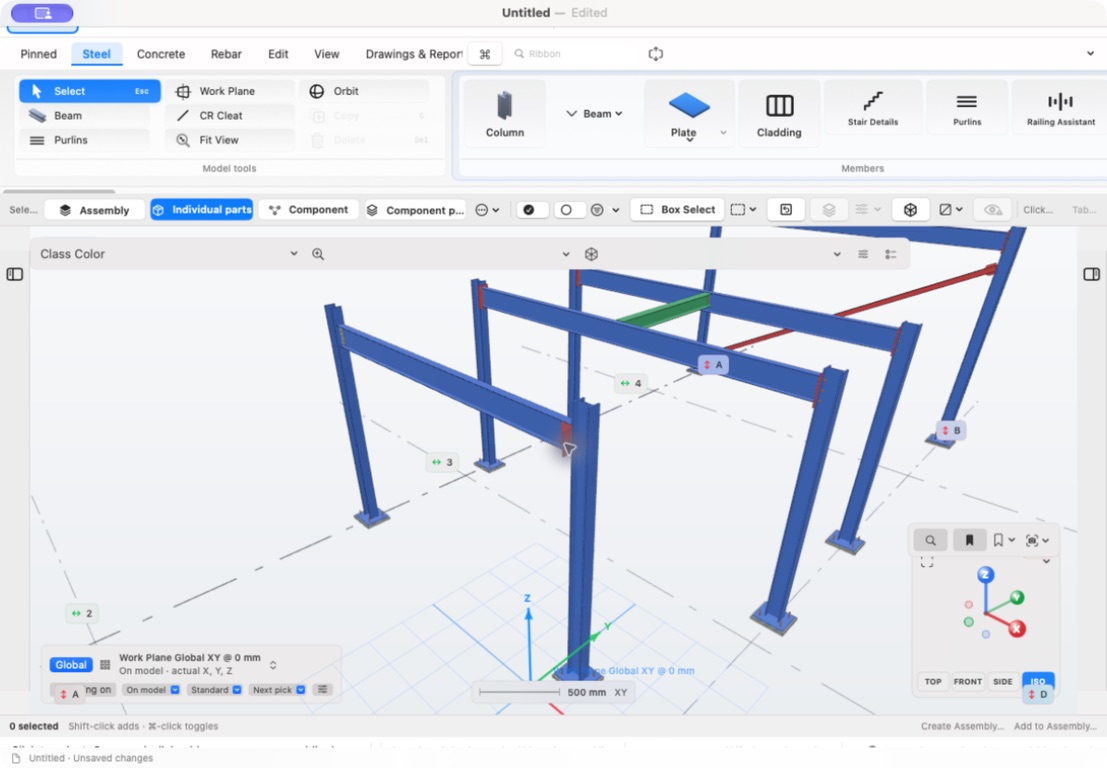
Place beams, columns and braces using steel profiles. Work with grids, snapping and member properties to develop the frame.
Steel modelling. Native to Mac.
From the first column to the connection detail. Model steelwork, develop drawings and keep your project files on your Mac.
Available now · Mac only · macOS 15.0 or later
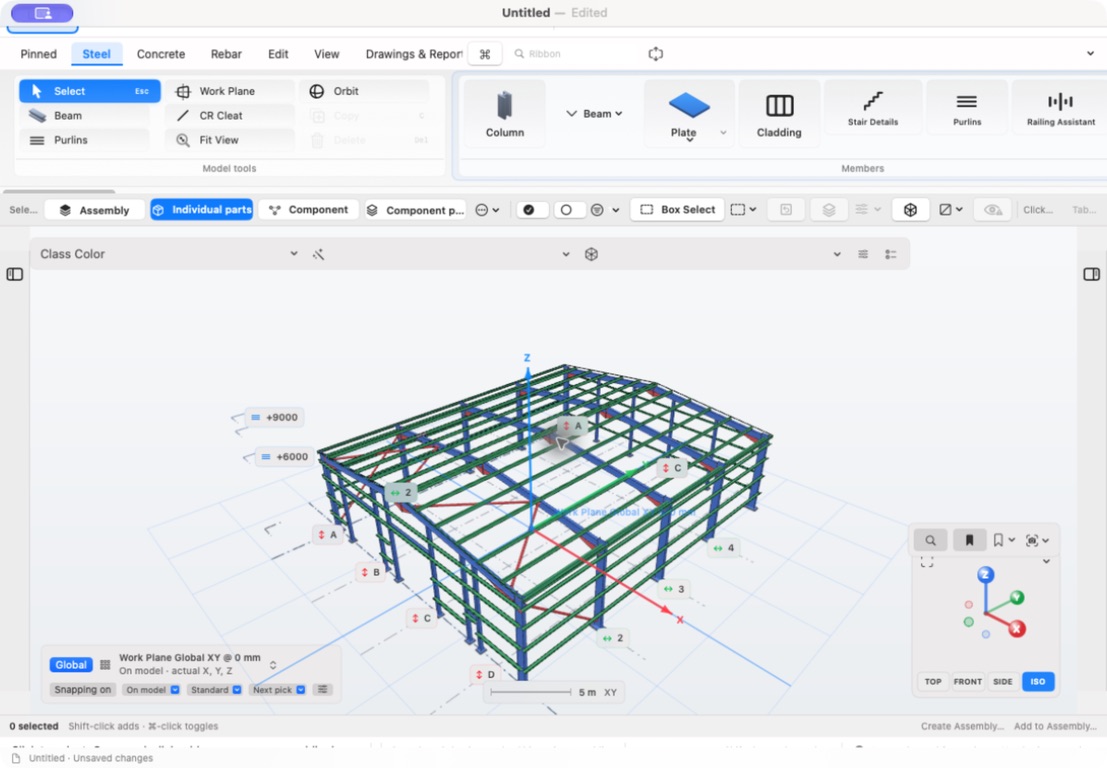
01 / Built for macOS
02 / Section-aware steelwork
03 / Your files. Your workspace.
From the frame to the fixing
A focused workspace for engineers, detailers and fabrication teams. Work with members, connections and drawing views in the context of the whole model.
Place beams, columns and braces using steel profiles. Work with grids, snapping and member properties to develop the frame.
Work with baseplates, end plates, fin plates, bolts and welds. Inspect how the parts sit together in three dimensions.
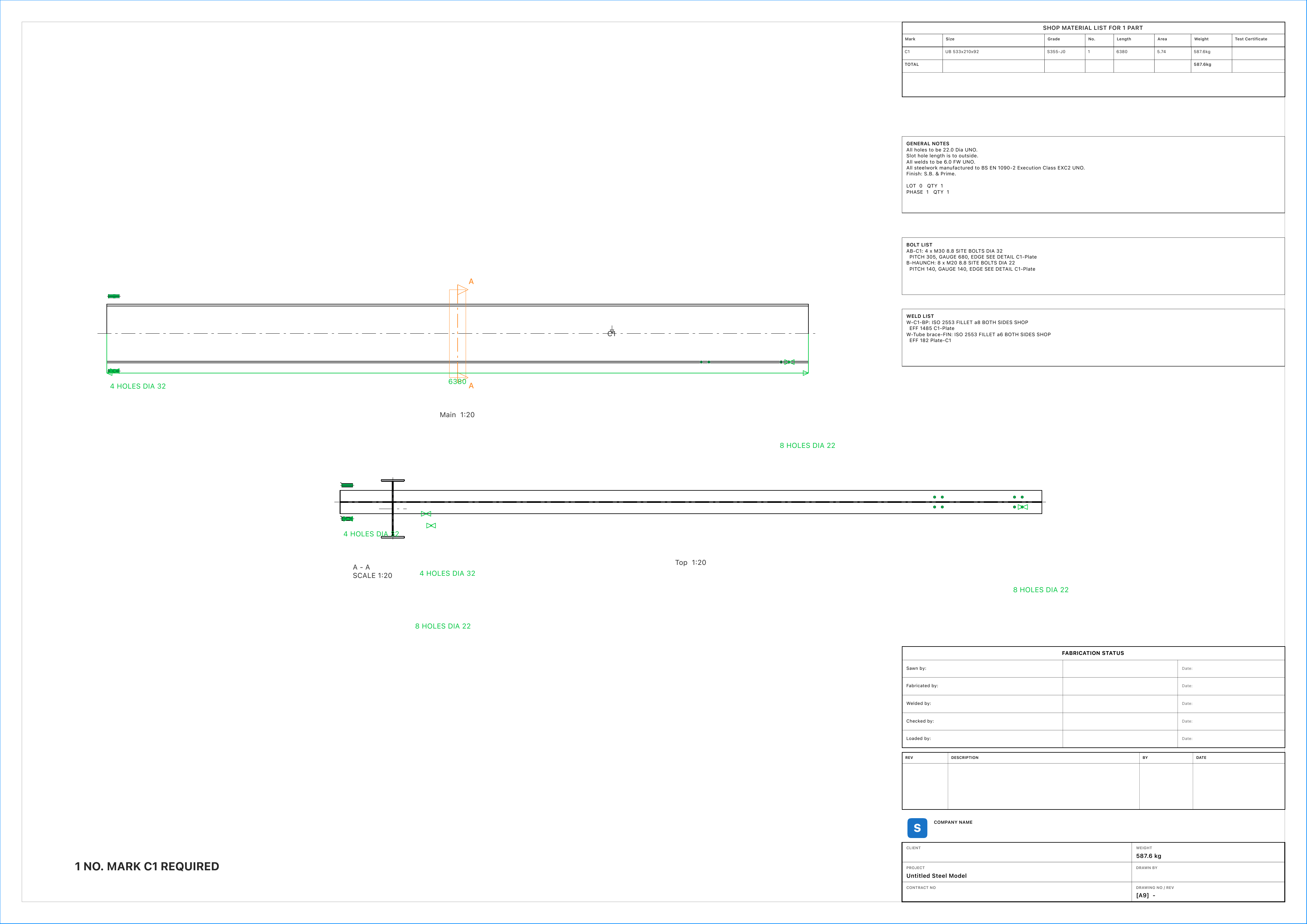
Create general arrangement and assembly drawings, with dimensions, marks and schedules for review.
Work across your devices
Save your work as Staxis project files in a location you choose. Put a project in iCloud Drive when you want to continue on your Mac or iPad. Close it on one device before editing it on another: simultaneous multi-user editing is not included. Trade Insight does not receive your project through this workflow.
Start free. Expand when you need to.
Create, edit and export projects with up to 20 structural members free. Paid plans unlock editing for larger projects.
Keep it flexible
£29.99
per month · billed monthly
Recommended / Annual
£299.99
per year · billed annually
Pay once
£1,199.99
one payment · no subscription
Download free from the Mac App Store. Connection plates and bolts do not count towards the 20-member free allowance. Larger existing projects can still be opened, inspected, measured, printed, exported and shared in read-only mode without a paid entitlement. Prices above are the current UK App Store prices; other regions use their local App Store prices. Apple shows the final price before purchase.
Any eligible trial, subscription period and renewal terms are shown by Apple before purchase. Monthly and annual subscriptions renew unless cancelled through Apple. A lifetime purchase is a separate one-off option.
Lifetime covers the Staxis Mac desktop product and future updates released for that product. It excludes future cloud services, separately sold products and personal training. It does not guarantee compatibility with every future macOS release. Read the full terms ↗
Yes. Staxis is available to download free from the Mac App Store. Open the Staxis listing ↗ for availability, compatibility and current purchase options.
No Staxis cloud account is required for the Mac app. An Apple Account and internet connection will be needed for App Store purchases, downloads and purchase restoration.
Yes: future updates released for the Staxis Mac desktop product are included. Future cloud services and separately sold products are not included. Lifetime is a permanent desktop entitlement, not a promise of development or operating-system support forever.
All models, connections, dimensions and outputs need checking by a suitably qualified person before fabrication, erection or construction. Staxis is a modelling tool and does not replace engineering design or approval.
Requires macOS 15.0 or later. Check the Mac App Store listing for compatibility with your Mac. This download is for Mac.
Built for the work
Start free on your Mac. Build up to 20 structural members.
Built from practical steelwork
Staxis grew from experience running a structural steelwork business. Explore the workflow and the background behind the product.