 staxis
Choosing steel modelling software for a small fabrication business
Evaluate section-aware modelling, connections, drawing outputs and file ownership against the way your workshop works.
Start with a representative job
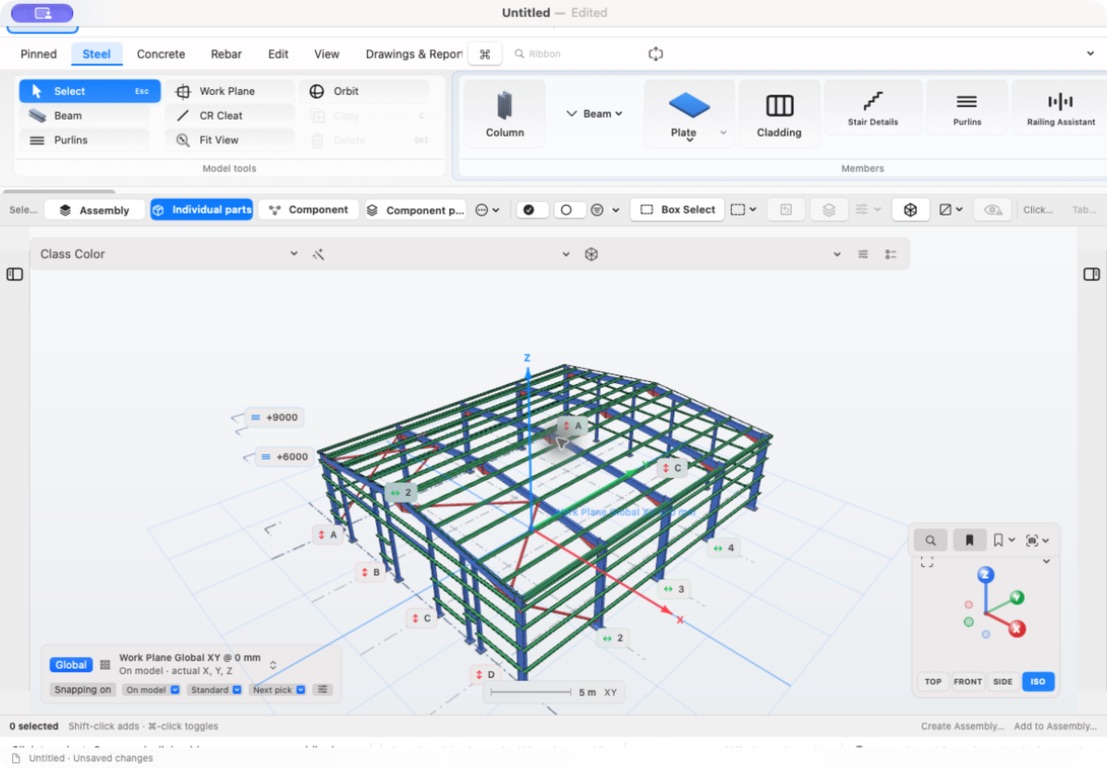
A useful software demonstration follows a job your business recognises. A small frame with columns, beams, bracing and a few different connections can reveal more than a polished picture of a large building.
Write down the tasks you want to complete: place members, edit their positions, inspect connections, create drawings and hand the checked information to the workshop. Use the same example when comparing products.
Inspect sections and connections
Steelwork needs more than a collection of rectangular shapes. Check how the model represents the section profiles you use, member orientation and the relationship between plates, bolts and adjacent steel.
Look at the connection in several views. Ask how edits to a member affect the detail, and what must be checked manually. A convincing model view does not demonstrate that a connection has been structurally designed or approved.
Review a drawing, not just the model
Ask to see an actual drawing output from the example. Can a reviewer identify the assembly, dimensions and marks? Are the relevant views legible at the intended sheet size?
Treat drawing generation as part of a checking process. Inspect dimensions, part information, schedules and revision handling before relying on an output for fabrication. Avoid assuming that a screenshot proves the quality of every drawing.
Check the practical fit
Confirm supported hardware and operating systems, storage arrangements, backup and licensing. For a Mac-based workshop, native operation may be a useful selection criterion, but it is still necessary to check the final hardware requirements.
Staxis’s planned local-file release keeps project files in a location you choose. Its current launch offer is for Mac; an iPad product is not included. Simultaneous multi-user editing is not included in the advertised local-file workflow.
Evaluate Staxis as it becomes available
Staxis is being prepared for the Mac App Store. The public site demonstrates members, connections and drawing views using actual software images. Register launch interest to hear when the release is available.
Use your own representative test job when assessing the released application. Models, connections and outputs need checking by a suitably qualified person before fabrication, erection or construction.