 staxis
From steel model to assembly drawing: a practical review workflow
Follow the information from the overall frame to an assembly drawing, with checks before handing work to fabrication.
Set the model up around the job
Establish the project units, grid and member positions before adding detail. Confirm which reference information you are working from and how revisions will be identified.
An assembly drawing should describe a defined piece of work. Decide which parts belong to the assembly and which interfaces need to be shown so the workshop can understand it in context.
Develop the detail in context
Inspect how plates, bolts and member ends relate to one another. Use several views to look for misplaced or reversed components, and compare the intended arrangement with the approved design information.
Model editing and engineering verification are separate tasks. Neither an attractive 3D view nor an automatically generated drawing establishes structural adequacy. Record questions and resolve them with the responsible designer.
Choose views that explain the assembly
The primary view should make the arrangement easy to understand. Add other views when they explain information the main view cannot show clearly. Crowding every available view onto a sheet can make an otherwise straightforward assembly harder to read.
Check the relationship between dimensions and the features they describe. Review the drawing at the output size rather than relying only on a zoomed screen view. Make sure marks and schedules refer to the intended parts.
Use a deliberate release check
Create a repeatable review record before issuing information to fabrication. The checks depend on the job, but a basic sequence should cover the model, the drawing and the release status.
- Member sizes, orientation and interfaces agree with the approved information.
- Connection parts and fixing information have been reviewed.
- Dimensions, marks and schedules are consistent and legible.
- Revision and issue status identify the information being released.
- The responsible qualified reviewer has completed the required checks.
What Staxis shows today
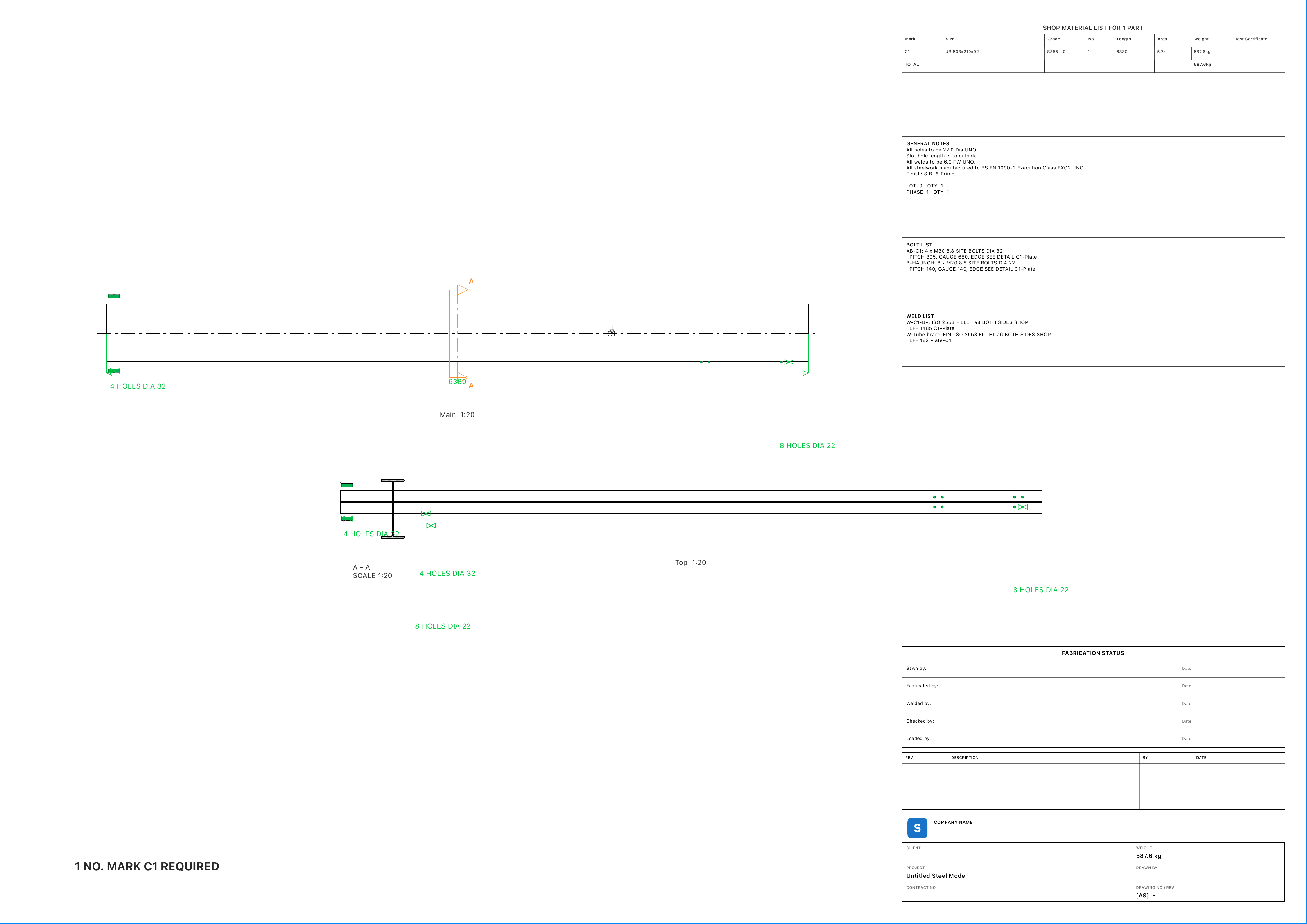
The Staxis website shows the actual model workspace and a sample assembly drawing. The planned Mac product includes general arrangement and assembly drawing workflows with dimensions, marks and schedules.
Use the examples to understand the proposed workflow, then test the released app against your own requirements. Outputs require qualified review before use; Staxis is a modelling tool and does not replace engineering design or approval.